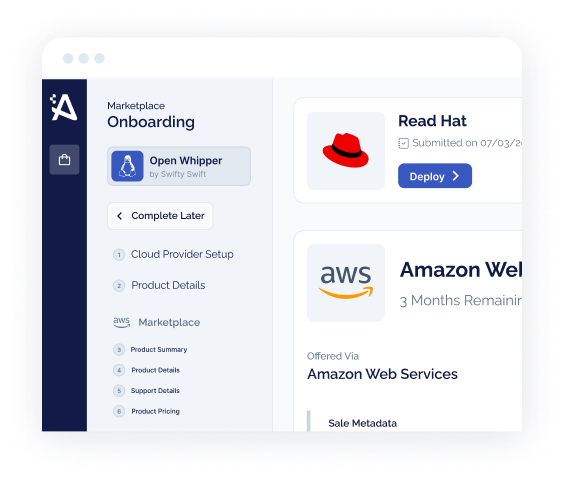





- A private offer is a set of negotiated terms — custom price, custom EULA, custom payment schedule — extended to specific buyer AWS accounts, and different from your public listing price (AWS Marketplace Seller Guide, 2026).
- The mechanic is simple: you create the offer on the Offers page of the AWS Marketplace Management Portal, extend it to up to 25 buyer accounts, and the buyer must accept before the expiration date — after which it can’t be accepted (AWS Marketplace Buyer Guide, 2026).
- Use a standard listing for self-serve and small deals; use a private offer the moment there is a negotiated price, a redlined contract, installments, or enterprise procurement involved.
- Private offers are where the big money is: roughly 85% of enterprise marketplace ARR flows through them (Partner Insight via Suger, 2025), and they are the vehicle that carries a co-sold deal and committed-spend drawdown to close.
A standard AWS Marketplace listing is a public price on a shelf. A private offer is the negotiated deal you close on top of it. For a self-serve $500-a-month product, the shelf is enough. For a six- or seven-figure enterprise deal — the kind with a redlined contract, a payment schedule, and a procurement team — the shelf price is just the opening position. This is the guide to the mechanism that closes the rest, written for ISV founders and alliances leaders rather than console operators.
What an AWS Marketplace private offer actually is
Per the AWS Marketplace Seller Guide, private offers are negotiated terms used to purchase a product from AWS Marketplace, and they can involve a custom pricing plan, a custom end user license agreement (EULA), or custom solutions. Sellers and buyers negotiate before committing to a private offer that differs from the public offer (AWS Marketplace Seller Guide, 2026). In plain terms: you and the buyer agree a deal privately, and the private offer is how that deal gets transacted through AWS Marketplace instead of a paper order form.
Three things make it “private.” The terms aren’t publicly listed. The offer is visible only to the specific buyer AWS accounts you extend it to. And the buyer chooses: a buyer you extend an offer to can pick between your private offer and the public offer, but can be subscribed to only one offer at any given time (AWS Marketplace Seller Guide, 2026).
Private offer vs. public (standard) listing
Both put revenue through the same marketplace rails and the same AWS bill. The difference is who sets the terms and who can see them.
- One price and one EULA, visible to everyone
- Self-serve subscribe — no negotiation, no sales motion required
- Best for low-friction, high-volume, smaller deals
- No custom payment schedule or negotiated contract
- Custom price, custom EULA, custom payment terms — per buyer
- Visible only to the buyer accounts you extend it to
- Built for negotiated, enterprise, and channel deals
- Supports installments, net payment terms, and future start dates
Note one thing AWS is explicit about: there is no difference in the software product itself. The software you buy through a private offer functions exactly as it would through the public offer (AWS Marketplace Buyer Guide, 2026). A private offer changes the commercial terms, not the product.
How an AWS Marketplace private offer works, end to end
The lifecycle is short, and knowing it prevents the two mistakes that stall deals: letting an offer expire, and mis-targeting the buyer’s account. Here is the flow from the seller side, per the AWS Marketplace Seller Guide (2026).
You create the offer
On the Offers page in the AWS Marketplace Management Portal, you specify the product, which generates a unique offer ID and URL. You set a pricing plan, add legal terms and sales documents, and extend the offer to specific buyer AWS accounts (AWS Marketplace Seller Guide, 2026).
The buyer receives and reviews it
The offer is visible only to the accounts you named. When the buyer visits the product’s subscription page, a banner shows a private offer is available — or you send them the offer link directly. Each private offer can be extended to up to 25 accounts (AWS Marketplace Buyer Guide, 2026).
The buyer accepts before it expires
An offer can only be accepted before its expiration date. Once it expires, the buyer can’t subscribe — they must ask you to extend the date or issue a new offer (AWS Marketplace Buyer Guide, 2026). When the buyer accepts, the offer becomes an agreement (also called a contract or subscription) between you and them.
An expired offer simply can’t be accepted — it moves to an “Accepted and expired offers” tab, and the buyer has to come back to you for a new one (AWS Marketplace Buyer Guide, 2026). If your deal is waiting on a buyer’s fiscal year-end or a procurement cycle, set the expiration with real slack. Chasing a re-issue in the last week of a quarter is a self-inflicted delay.
The terms you can negotiate into an offer
A private offer is a container for the commercial terms, and AWS lets you customize the ones that matter in enterprise deals:
- Custom price. A negotiated pricing plan that differs from your public price.
- Custom EULA. Use the Custom EULA option for uniquely negotiated contract terms — you can attach up to five documents — or move the buyer to AWS standardized license terms (AWS Marketplace Seller Guide, 2026).
- Installment plans. For offers with an installment plan, you can break upfront payments into multiple payments over time (AWS Marketplace Seller Guide, 2026).
- Net payment terms and future start dates. You can configure net payment terms and create future-dated agreements so an offer starts on a date you choose (AWS Marketplace Seller Guide, 2026).
- Auto-renewal. For contract-pricing offers, you can add renewal terms so the agreement renews automatically at its end date, at the same price or with an uplift (AWS Marketplace Seller Guide, 2026).
A few limits are worth knowing before you promise a buyer something the mechanism won’t deliver. Private offers don’t support the Bring Your Own License (BYOL) model, you can’t use them to cap a customer’s usage, and they aren’t available for second-party, AMI monthly, or multi-AMI CloudFormation products (AWS Marketplace Seller Guide, 2026).
How to create a private offer: the seller path
The steps below are the high-level path from the AWS Marketplace Seller Guide (2026). For the exact click-by-click in the portal, follow AWS’s own documentation and our AWS Marketplace seller guide — console screens change, and this is the durable shape of the process, not a screenshot to memorize.
Price, term length, payment schedule, and any contract redlines are negotiated with the buyer before you touch the portal. The offer transacts a deal you’ve already made.
You extend the offer to specific accounts, so you need them up front. For a buyer using AWS Organizations, confirm whether the management account or a member account will accept (AWS Marketplace Buyer Guide, 2026).
On the Offers page, select the product, set the pricing plan and payment schedule, attach the EULA and sales documents, and set the expiration date (AWS Marketplace Seller Guide, 2026).
Extend the offer to the named accounts and share the offer URL with your buyer so they can find it without hunting through the console.
Accepted offers become agreements you can find in the Agreements tab of the Management Portal (AWS Marketplace Seller Guide, 2026). Watch the expiration date and nudge before it lapses.
AWS offers express private offers, which use rate cards to configure predefined pricing and qualification criteria so buyers can receive instant private offers for standard deals without manual sales intervention (AWS Marketplace Seller Guide, 2026). Reserve hand-built offers for the genuinely bespoke deals, and template the rest.
Standard listing vs. private offer: when to use which
This is the decision AWS documentation never makes for you, because it’s a go-to-market call, not a console setting. The test is simple: the moment a deal has a negotiated term, it wants a private offer. Below is the decision table ISVs actually need.
| Deal characteristic | Standard listing | Private offer |
|---|---|---|
| Price | Public, fixed | Negotiated / discounted per buyer |
| Deal size | Small, self-serve | Large, enterprise |
| Contract / EULA | Standard, non-negotiable | Custom EULA or redlined terms |
| Payment | Pay-as-you-go or standard term | Installments, net terms, custom schedule |
| Sales motion | None — buyer self-subscribes | AE-led, often co-sold with AWS |
| Committed spend (EDP/MACC) | Draws down at list | Structured to draw down against commitment |
| Channel resale | Not supported directly | CPPO / Channel Partner private offer |
Most ISVs need both, sequenced. The public listing captures self-serve demand and gives your sales team a live product to point AWS field reps at. The private offer is the tool your AEs reach for once a real deal is in flight. If you’re still deciding how to structure the underlying pricing, our guide to AWS Marketplace SaaS contracts vs. pay-as-you-go covers how each model changes what you can put in an offer.
Private offers and co-sell: how ISVs close bigger deals
Here is where the private offer stops being paperwork and becomes a growth lever. A private offer is the transaction layer; AWS co-sell is the demand layer; committed-spend drawdown is the incentive that makes the buyer want to transact on marketplace at all. Put together, they are why enterprise deals move faster and land larger through AWS Marketplace than through a direct paper contract.
The data backs the motion. Canalys found in 2024 that co-selling is associated with 54% larger deals and 65% higher close rates, and Tackle’s 2024 State of Cloud GTM report tied co-sell engagement to roughly 40% larger deals and 20% faster closure. The share of deals expected to involve co-sell is rising too — to 30% from 22% year over year, per Tackle’s 2025 report.
The committed-spend angle is the one ISVs underuse. Enterprise buyers with an AWS Enterprise Discount Program (EDP) commitment can retire up to 25% of that commitment through AWS Marketplace spend (AWS). For a buyer sitting on unspent commitment at fiscal year-end, a private offer isn’t just a discount — it’s a way to convert money they’ve already promised AWS into your software. Structuring the offer to land inside that drawdown window is one of the highest-leverage moves in an enterprise cycle. Our guide to the AWS EDP and the committed-spend calculator break down the mechanics.
A discount off your list price is a concession. A private offer that retires a buyer’s committed AWS spend is a reason to sign this quarter.
To connect co-sell demand to a private offer, the deal usually flows through AWS Partner Central and the ACE (APN Customer Engagements) program. AWS even lets qualifying ACE-eligible partners add a “request private offer” button to their product detail page so buyers can start the motion themselves (AWS Marketplace Seller Guide, 2026). For the full playbook on the demand side, see our AWS co-selling guide.
Private offer types ISVs should know
“Private offer” covers a few distinct patterns. The two most ISVs meet are the direct seller offer and the channel version.
Seller (direct) private offer
You, the ISV, extend a negotiated offer straight to the buyer’s AWS accounts. This is the default covered throughout this guide.
Channel Partner private offer (CPPO)
A channel partner resells your product. You and the partner establish a selling authorization, and the partner extends the offer to the buyer (AWS Marketplace Seller Guide, 2026).
Express private offer
Rate-card-driven offers that let buyers receive instant private offers for standard deals without manual sales work (AWS Marketplace Seller Guide, 2026).
Future-dated agreement
A private offer configured to start on a chosen future date, useful for aligning to a buyer’s budget cycle or a co-term (AWS Marketplace Seller Guide, 2026).
The channel version deserves its own note, because it’s how ISVs reach buyers who only purchase through a preferred reseller. In an AWS Marketplace Channel Partner private offer, the ISV and the channel partner establish a selling authorization to resell one or more of the ISV’s products; the partner then extends a private offer to the buyer, starting from a wholesale cost the ISV sets and marking it up for the buyer’s price (AWS Marketplace Seller Guide, 2026). The authorization can be a recurring discount — reusable across deals until a set date or until ended — or a one-time, non-recurring discount for a single buyer (AWS Marketplace Seller Guide, 2026). One fee detail to plan around: listing fees are deducted from the ISV’s disbursement and calculated on the discounted price the ISV offered the partner, not the buyer’s final price (AWS Marketplace Seller Guide, 2026).
Labra reported a 133% increase in new business through CPPO — the channel reaches buyers a direct listing never will. If a target account buys exclusively through a specific reseller, a channel private offer is the only marketplace path to that deal. Our CPPO deep-dive covers selling authorizations and reseller mechanics in full.
Common pitfalls and best practices
Most private-offer problems aren’t exotic. They’re the same handful of avoidable mistakes, and they map directly onto the mechanics above.
- Set the expiration date with buffer for procurement — an expired offer can’t be accepted, only re-issued
- Confirm the correct buyer account(s), and whether an Organizations management or member account will accept
- Decide EULA path up front: custom documents (up to five) or AWS standardized license terms
- Match the payment schedule to the buyer’s reality — installments and net terms exist for a reason
- Check whether the buyer has EDP/committed spend to draw down, and structure the offer to use it
- For a reseller deal, get the selling authorization in place before the partner builds the offer
- Track the agreement after acceptance so renewals don’t drift off-marketplace
To make the sequencing concrete, consider a hypothetical composite: a 40-person security ISV with a healthy self-serve listing lands its first true enterprise opportunity — a $600K, three-year deal with a buyer that has unspent AWS EDP commitment. The standard listing can’t carry it: the buyer needs a negotiated price, a redlined EULA, and annual installments. The right move is a private offer structured to draw down against the buyer’s EDP, co-sold through ACE so the AWS field team is aligned, with an expiration set past the buyer’s procurement review. That is the difference between a deal that closes on marketplace and one that leaks to a paper contract. (This example is illustrative, not a specific Automatum customer.)
Private offers are where marketplace revenue is won — and where the operational load piles up.
Automatum runs the operational layer for AWS, Azure, and GCP private offers — building offers, tracking expirations and agreements, and keeping renewals in the channel — so your team spends time negotiating deals, not filling in portal forms. See how it fits on the platform overview, or model a deal in the marketplace ROI calculator first.
See Automatum in Action →Frequently Asked Questions
Common questions about AWS Marketplace private offers for ISVs.
How does an AWS Marketplace private offer work?
You negotiate terms with a buyer, then create the offer on the Offers page of the AWS Marketplace Management Portal: you pick the product, set a custom pricing plan and payment schedule, attach the EULA, set an expiration date, and extend it to specific buyer AWS accounts. The offer is visible only to those accounts. The buyer must accept before the expiration date, and once accepted the offer becomes an agreement between you and the buyer (AWS Marketplace Seller Guide and Buyer Guide, 2026).
What is the difference between a private offer and a public offer?
A public (standard) offer is one price and one EULA, visible to everyone, that buyers self-subscribe to. A private offer has custom, negotiated terms — price, EULA, and payment schedule — visible only to the buyer accounts you extend it to. A buyer can choose between the private offer and the public offer but can be subscribed to only one at a time. The software product itself is identical either way (AWS Marketplace Seller Guide, 2026).
What happens if a buyer doesn't accept a private offer before it expires?
The offer can no longer be accepted. It moves to an "Accepted and expired offers" tab, and the buyer has to contact you to either change the expiration date to a future date or create a new private offer. This is why you should set the expiration with buffer for the buyer's procurement cycle rather than a tight deadline (AWS Marketplace Buyer Guide, 2026).
How do private offers help close bigger deals with co-sell?
A private offer is the transaction vehicle for a negotiated enterprise deal, and it pairs with two things that enlarge deals. First, AWS co-sell through ACE brings the AWS field team into the deal — Canalys tied co-selling to 54% larger deals and 65% higher close rates in 2024. Second, a private offer can be structured so a buyer draws down committed AWS spend (an EDP buyer can retire up to 25% of their commitment via AWS Marketplace), turning money already promised to AWS into your software. Roughly 85% of enterprise marketplace ARR flows through private offers (Partner Insight via Suger, 2025).
Go deeper on private offers and co-sell
The multi-cloud picture, the channel version, and the co-sell motion these offers ride on.