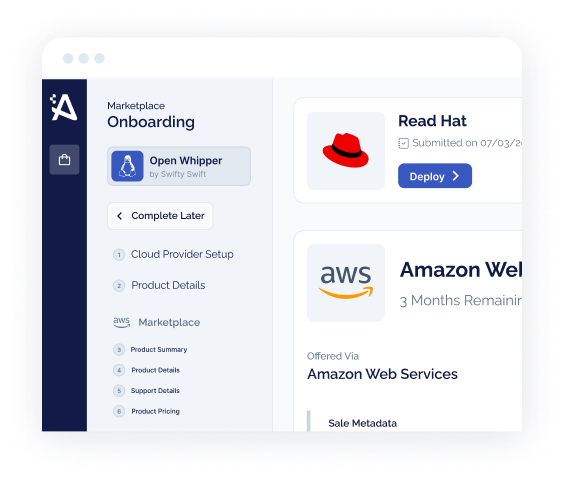





You Built a Great Product. Now Where Are the Enterprise Deals?
You've got a compelling SaaS product, a sales team that knows how to close, and a pipeline full of enterprise prospects. But quarter after quarter, the same friction appears: procurement drags on, legal red-lines your MSA for weeks, and IT security wants a risk assessment before anyone signs.
AWS Marketplace isn't just a distribution channel anymore — it's the fastest path through enterprise procurement. Over 400,000 active customers transact on AWS Marketplace, and deals that once took six to nine months close in days when the buyer can check out using their existing AWS account.
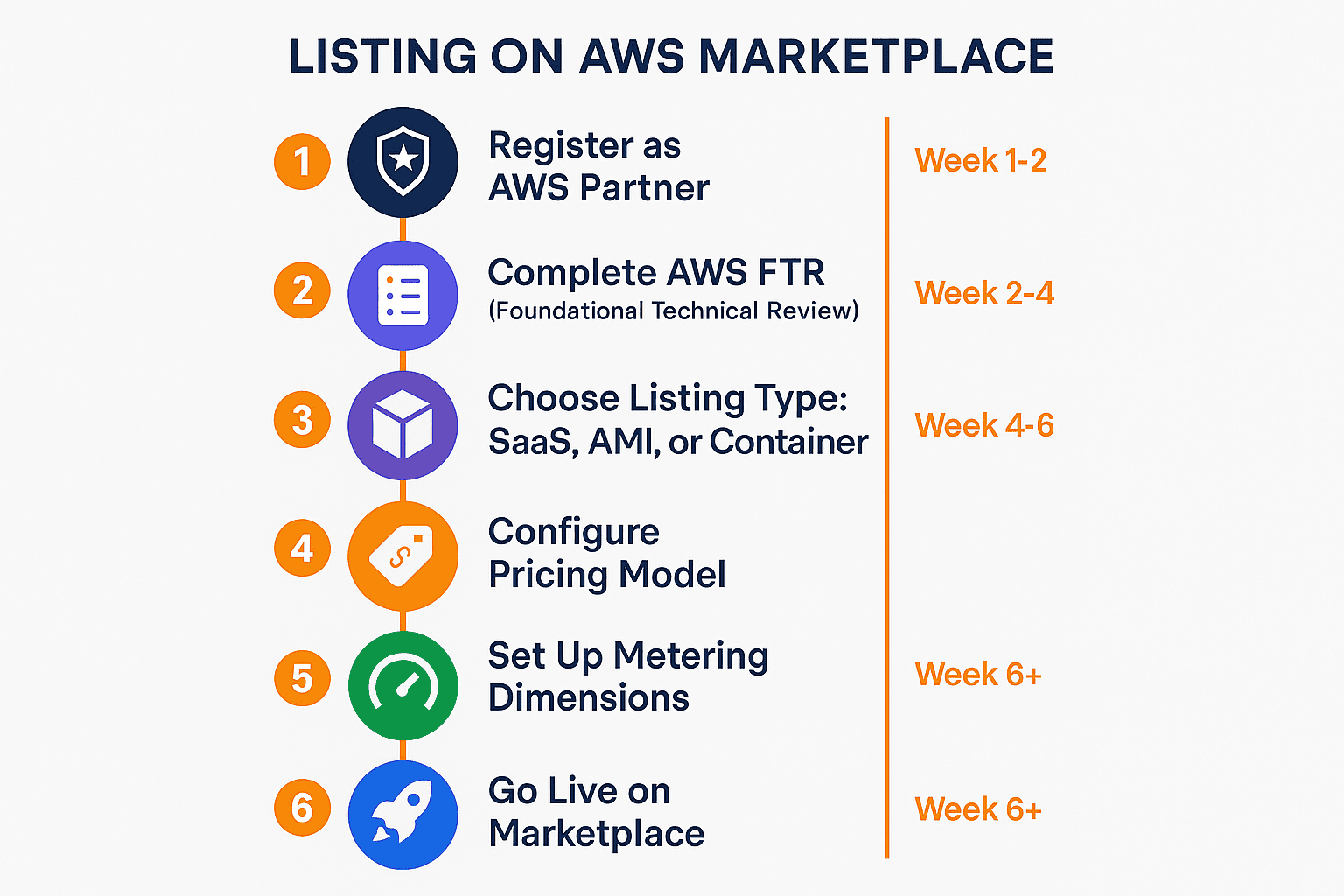
To list on AWS Marketplace, register as an AWS Partner and seller in the AWS Marketplace Management Portal, complete the Foundational Technical Review (FTR), choose a listing type (SaaS Contracts is best for most SaaS), define pricing dimensions, configure metering, submit for AWS review, and go live. The full process typically takes 4–8 weeks.
- Register as an AWS Partner (APN) and seller in the AWS Marketplace Management Portal.
- Complete the Foundational Technical Review (FTR) — start it 8+ weeks early.
- Choose your listing type (SaaS Contracts, AMI, Container, or Professional Services).
- Define your pricing model and dimensions.
- Configure metering via the AWS Marketplace Metering Service (usage-based pricing).
- Prepare your listing assets (title, descriptions, logo, screenshots, keywords).
- Build your fulfillment URL and SNS webhook for subscription events.
- Test the full subscriber flow in the AWS sandbox.
- Submit for AWS review (typically 3–7 business days).
- Enroll in ISV Accelerate for co-sell access and reduced fees.
Step 1: Register as an AWS Partner
Everything starts in the AWS Partner Network (APN). Go to aws.amazon.com/partners and create a partner account.
If you want a faster path through the analysis, the Marketplace Listing Checklist is free and takes under five minutes to verify every listing requirement before submission.
The process is free and takes less than 30 minutes. Navigate to the AWS Marketplace Management Portal (AMMP) to register as a seller, provide tax and banking information.
Step 2: Complete the Foundational Technical Review (FTR)
The FTR is AWS's security and architectural baseline for ISVs. It evaluates your product across security, reliability, performance efficiency, and operational excellence. Start your FTR early — at least 8 weeks before your target launch date.
Step 3: Choose Your Listing Type
AWS Marketplace supports several listing types: SaaS Listings (most common), AMI Listings (infrastructure software), Container Listings, and Professional Services. For most SaaS companies, SaaS Contracts is the right starting point — it unlocks committed-spend (EDP/PPA) drawdown eligibility and maximizes deal velocity.
Step 4: Define Your Pricing Model
You need to define dimensions — the units you're charging for — before configuring pricing. Common dimensions include seats/users, API calls, data processed, and events ingested.
Private Offers let you negotiate custom pricing with individual buyers — how 80% of enterprise deals actually close.
Step 5: Configure Metering
If using usage-based pricing, implement the AWS Marketplace Metering Service. Your application must call the MeterUsage API once per hour per dimension per customer. This integration is where ISVs without dedicated DevOps capacity get stuck.
Step 6: Prepare Your Listing Assets
Required assets include product title, short and long descriptions, highlights, product logo, screenshots, categories and keywords, and support information.
Step 7: Build Your Fulfillment URL and Webhook
AWS requires a Fulfillment URL that handles new subscriber registration and an SNS subscription to receive subscription lifecycle events.
Step 8: Test in the Sandbox
AWS provides a test environment where you can simulate the complete subscriber flow without real money changing hands.
Step 9: Submit for AWS Review
Review typically takes 3–7 business days. Most first-time submitters go through at least one revision cycle.
Step 10: Enroll in ISV Accelerate
Benefits include access to AWS Sales teams, reduced listing fees, priority placement, and SaaS Revenue Recognition.
The No-Engineering Path
Automatum eliminates the engineering work. Our platform handles metering integration, subscriber lifecycle management, private offer creation, and analytics — all without you writing a line of Marketplace-specific code. We've taken 60+ ISVs through this process.
Automatum simplifies cloud marketplace operations across AWS, Azure, and GCP.
Book a Working Session →Frequently Asked Questions
Common questions about the topics covered in this guide.
How long does it take to list on AWS Marketplace?
The full process typically takes 4 to 8 weeks, depending on your listing type and engineering readiness. Partner registration takes a day, FTR review takes 2 to 4 weeks, and the listing review itself takes 3 to 7 business days.
Do I need engineering resources to list on AWS Marketplace?
For SaaS listings with usage-based pricing, you need to implement the AWS Marketplace Metering Service API. For subscription-only listings, the engineering work is lighter. Platforms like Automatum can handle the integration without your engineering team.
What listing type should I choose?
For most SaaS companies, SaaS Contracts is the best starting point. It unlocks committed-spend (EDP/PPA) drawdown eligibility, supports private offers, and maximizes deal velocity. AMI and Container listings are better suited for infrastructure software.
What is the Foundational Technical Review?
The FTR is AWS's security and architectural baseline review for ISVs. It evaluates your product across security, reliability, performance, and operational excellence. Start it at least 8 weeks before your target launch date.
Keep building your marketplace motion
Keep building your AWS Marketplace knowledge with these practical guides.
Related Reading
- The AWS Marketplace Management Portal: An Operator’s Field Guide
- AWS Marketplace Listing Review: What AWS Looks For
- Marketplace Fees Decoded: What You Actually Pay on AWS, Azure & GCP
- AWS EDP: Enterprise Discount Program Guide for ISVs
- AWS Marketplace Metering: Usage-Based Pricing Done Right
- Free Trial to Paid Conversion on Cloud Marketplace
- Marketplace Ops: Managing Listings Across AWS, Azure & GCP